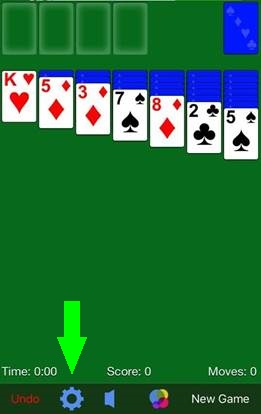
How do I switch between Draw 1 Card and Draw 3 Cards? Bilge U. May 25, 2026 15:00 Updated Follow Tap the gear icon at the bottom of the screen to see the list of Settings, then toggle the switch to the right of "Draw 3 Cards". "Off" will give you a 1-card draw game, "On" will give you a 3-card draw game. click for the support team Related articles What are the various game Settings? How can I view my achievements? How do I turn the sound on/off? How do I play the game? Troubleshooting steps for Kindle Fire Comments 0 comments Please sign in to leave a comment.


Comments
0 comments
Please sign in to leave a comment.